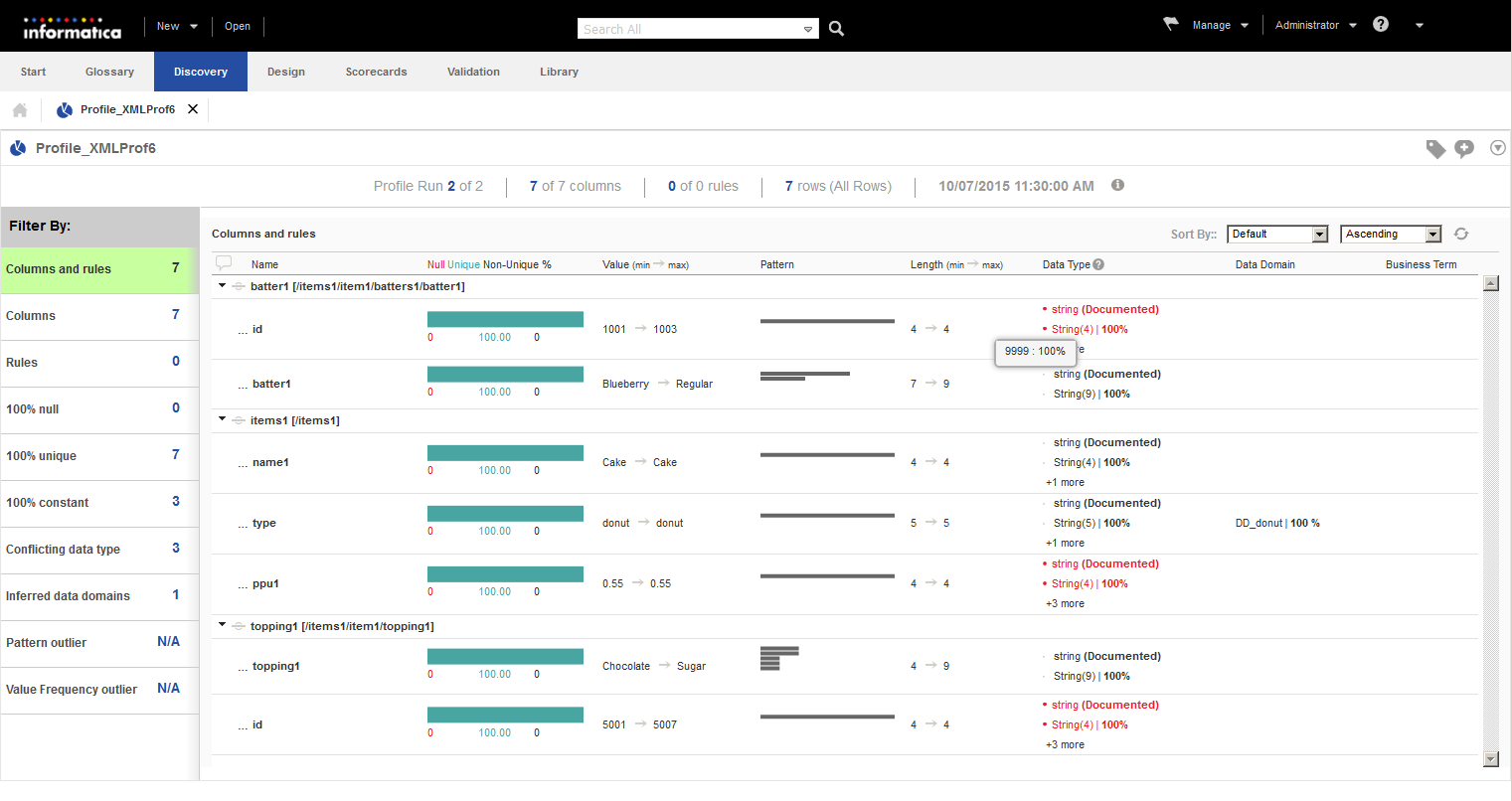
In the summary view, you can view the profile results by using the default filters.
The following parameters are displayed as horizontal bar charts and in percentages:
Name
Null, unique, non-unique values
Pattern
Minimum and maximum values
Minimum and maximum length of the values
Data type
Data domain
Business term
The following image displays the summary view of a JSON profile:
You can run the profile multiple times and compare two profile runs. You can view the profile results for a historical profile run and view the latest column information through the incremental profile run. You can add comments to a profile or to a column. You can export the profile results to a Microsoft Excel file.