The Odata REST URL needs to be accessible from the machine where the Secure Agent is installed.
Does Microsoft SharePoint require Windows authentication?
Answer:
The connector uses HTTP based authentication from the connection screen by default.
It supports Windows based authentication directly.
You can start the service by using configured user account of Microsoft SharePoint Windows.
If the Microsoft SharePoint server is configured to use Windows authentication and User identity in Active Directory Domain Services (AD DS), then you must start the Secure Agent with Windows/AD user account. The same account which has relevant access to Microsoft SharePoint server.
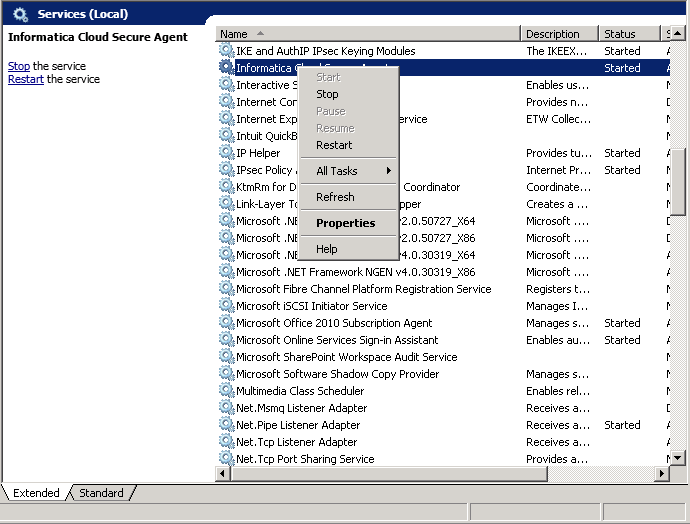
Perform the following steps to restart the agent:
Select
Services
program.
In
Services
, search for
Informatica Cloud Secure Agent
.
Right click Informatica Cloud Secure Agent and select
In case of Windows authentication, the username and password entered as connection parameters, have no impact on the authentication of connection. As these parameters are mandatory, you can enter dummy values.
Which fields are supported for mapping?
Answer:
The mapping fields are not listed as Microsoft SharePoint fields are dynamic and customizable.
All fields such as standard or custom, exposed by the Microsoft SharePoint Odata REST URI are supported for mapping.

 ASK INFAPreview