Hi, I'm Ask INFA!
What would you like to know?
ASK INFAPreview
Please to access Ask INFA.

REST API Reference

REST API Reference

Downloading the report for a test case run

Downloading the report for a test case run

Use the following URI to download the report for a test case run:
GET /datavalidation-service/api/v1/report/download/testcase/{testCaseId}/run/{testCaseRunId}
Use the IDS-SESSION-ID header in the GET request.
GET request
Use the test case ID and the test case run ID to download the report for a test case run.
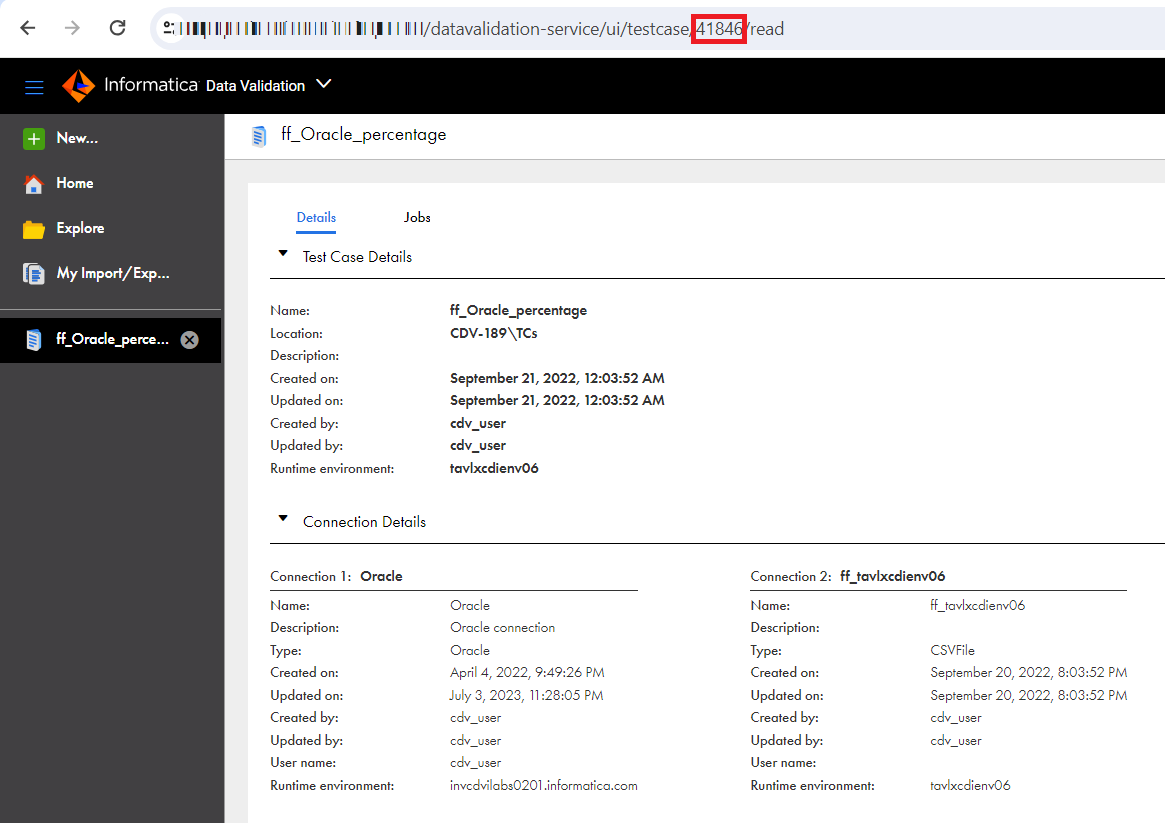
When you open a test case, the numeric value that you see in the URI is the test case ID. For example, in the following image, the test case ID is
41846
:
The image shows the test case ID highlighted, which is 41846.
When you open the report of a test case, the numeric value that you see in the URI after the
testCaseRunID
parameter is the test case run ID. For example, in the following image, the test case run ID is
25961
:
The image shows the test case run ID highlighted, which is 25961.
GET response
If the test case ID and test case run ID were found, a report is downloaded in the Microsoft Excel format.
The report shows the general details of the job, sampling data, total records, match results, row count, and column matching status. The row count and the column matching status show the data type, precision, and scale for each row.
The data type match result shows whether the data types of the columns compared in both connection tables match.
The report shows details about the missing, unmatched, and extra records in the job.
If the test case ID or test case run ID were incorrect, the GET request returns a
500 Internal Server
response.
The GET request also returns the following response fields:
Field
Type
Description
code
String
Code of the error message.
message
String
Error message.
debugMessage
String
Message that can be used for debugging the issue.
details
String
Detailed information about the error message.

0 COMMENTS

We’d like to hear from you!