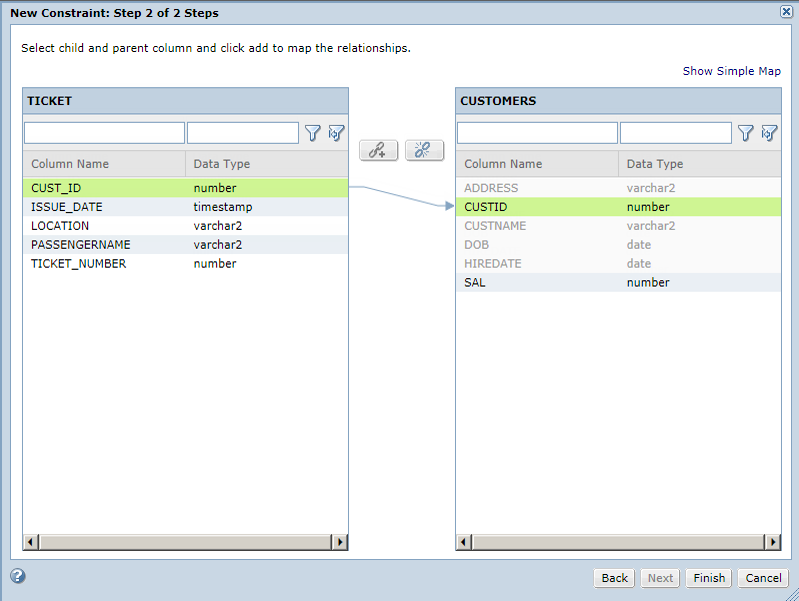
Consider the CUSTOMERS table as parent table and the TICKET table as child table. Establish a logical relationship between the tables with CUSTID as the foreign key.
In the project, click
Discover
Tables
.
Click on the TICKET table.
Click
Constraints
.
Click
Create New Constraint
.
Enter the following constraint properties:
Name
Enter CUST_ID.
Constraint Type
Select
Foreign Key
.
Severity Level
Select
Major
.
Parent Table
Click
Select
and choose CUSTOMERS.
Enable Constraint
Select the check box.
Click
Next
.
The left pane contains the child table columns and the right pane contains the parent table columns.
Click the CUST_ID column from the left pane. Click the CUSTID column from the right pane. Click the
Link
icon to map the parent-child relationship.
The following table shows mapping between CUSTOMERS and TICKET tables: